Retrieving Your API Details
Octopus Compare relies on the Octopus Energy API, which is an interface that applications can easily access and retrieve data. The Octopus Energy API is freely available to anyone who would like to access their raw data, or other data related to Octopus Energy such as tariffs. The full details of the API can be found here, along with some examples of the responses: Octopus Energy v1 API
Some features of this API requires authentication to access data from your personal Octopus Energy account, which includes your meter information and consumption data. Rather than opting for an email and password, an 'API Key' is used which is randomly generated and can be refreshed whenever requested - this ensures that your email and password isn't available to 3rd party tools and in the case you believe someone is using your data, you can refresh your key. This key gives 'read-only' permissions to 3rd parties and doesn't have the ability to change details on your account.
Octopus Compare requires that you have a valid smart meter linked with your Octopus Energy account. Without a smart meter (SMETS1 or SMETS2), you will currently be unable to use the application as consumption data is not available via the API.
Retrieving your credentials
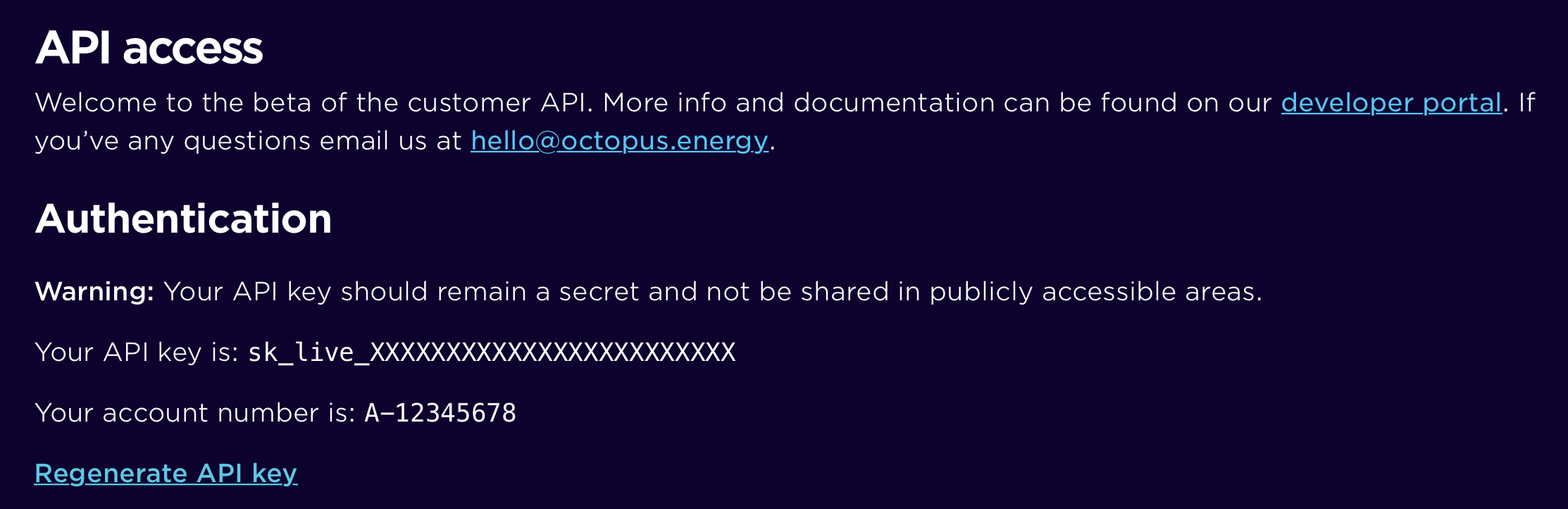
Accessing your credentials is easy. First head to the Octopus Energy Developer Dashboard and log in using your email and password. You will be greeted with a page as shown below, which will contain a section containing your API Key and Account Number. Further down the page you will also find the MPAN and Serial Number of your Electricity Meter (and Gas Meter if applicable).
For now, keep this page open as Octopus Compare uses both your API Key and Account Number to retrieve your details.