(Pro) Creating Custom Tariffs
By default, some tariffs are not available within the main product list due to not appearing on the Octopus Energy API. This isn't ideal, so we've enabled the ability for you to create and maintain a tariff so that you can compare hidden tariffs and tariffs from other providers.
Creating a tariff is easy:
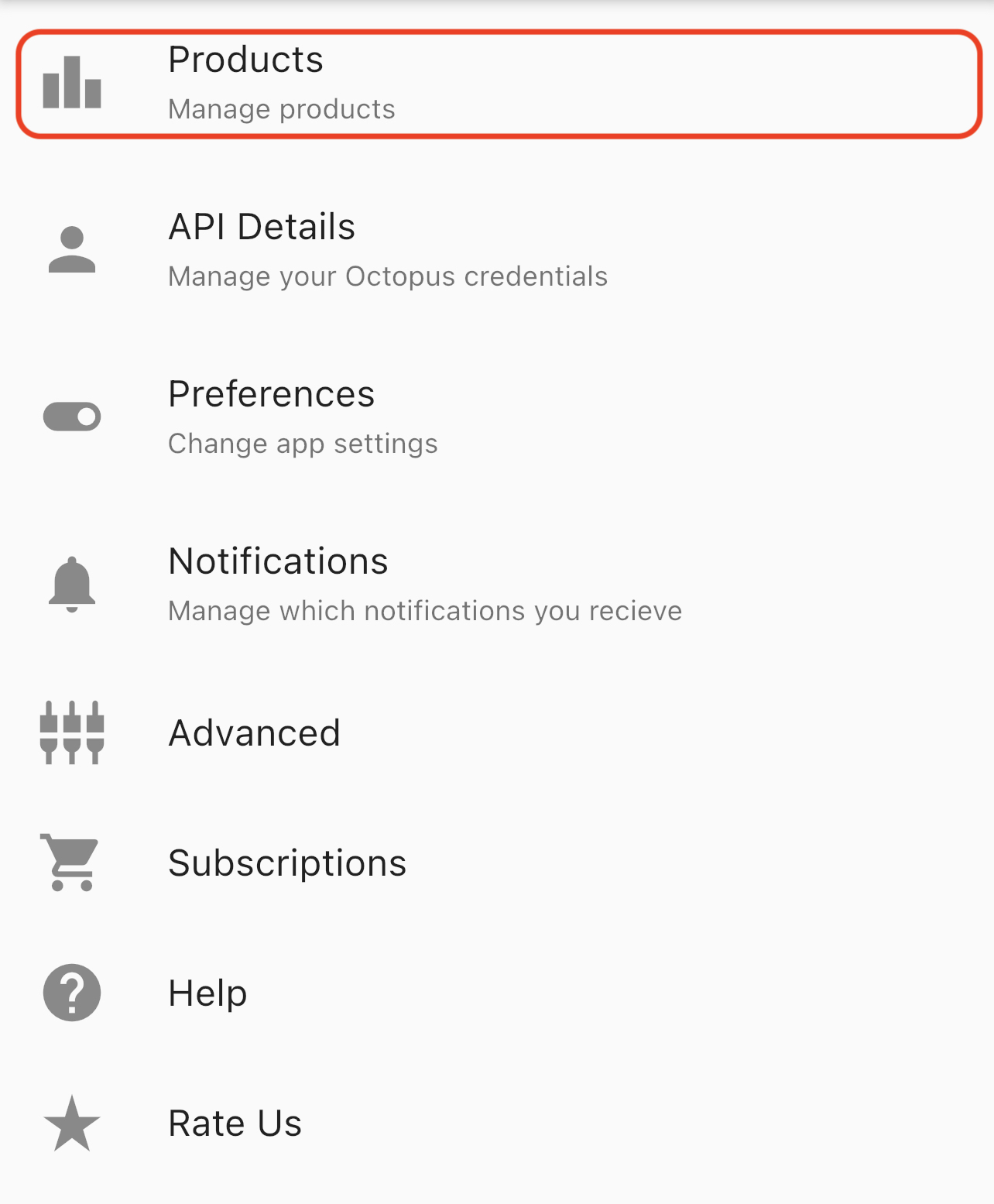
1. Head to Settings --> Products
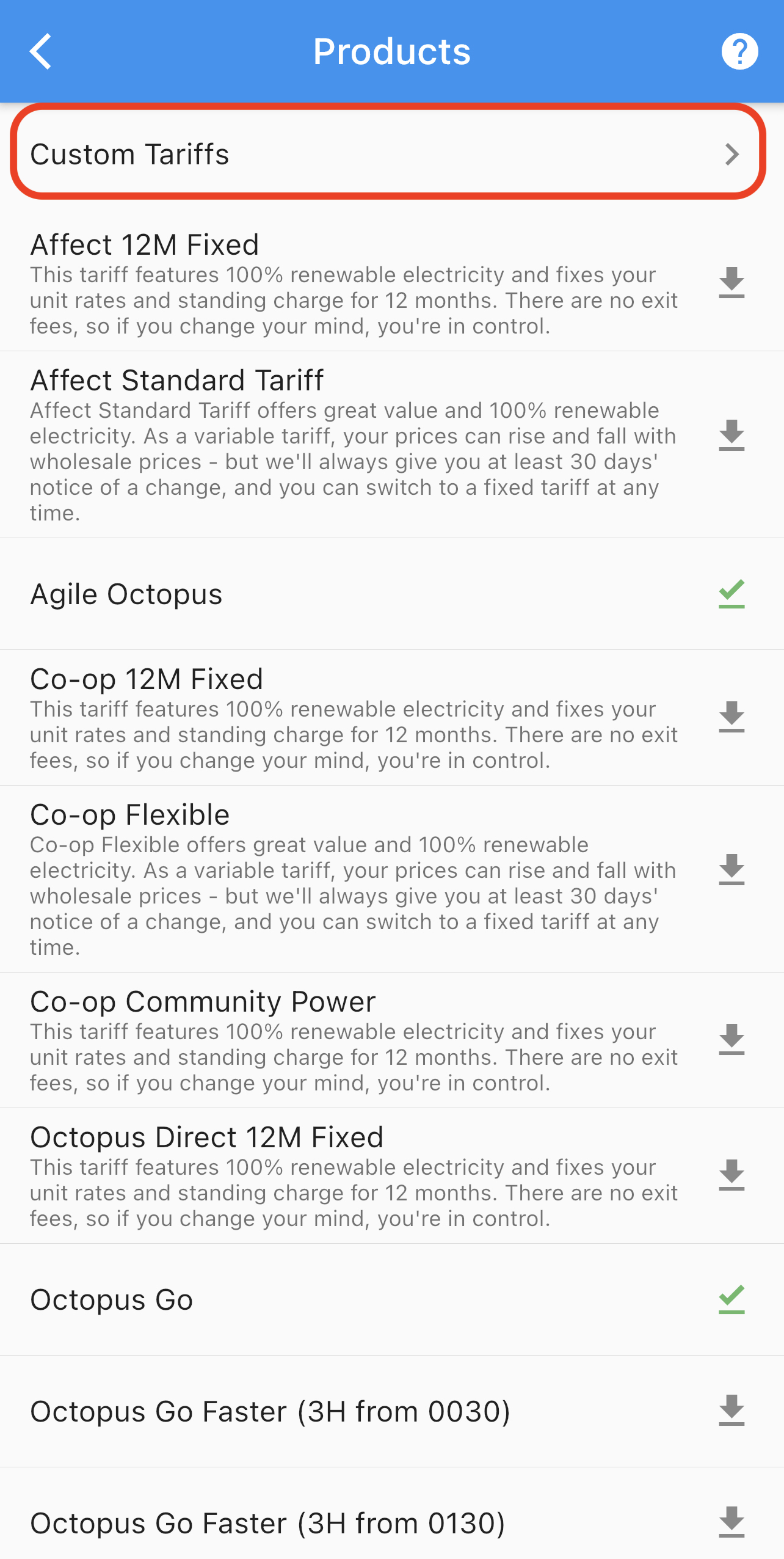
2. Click Custom Tariffs
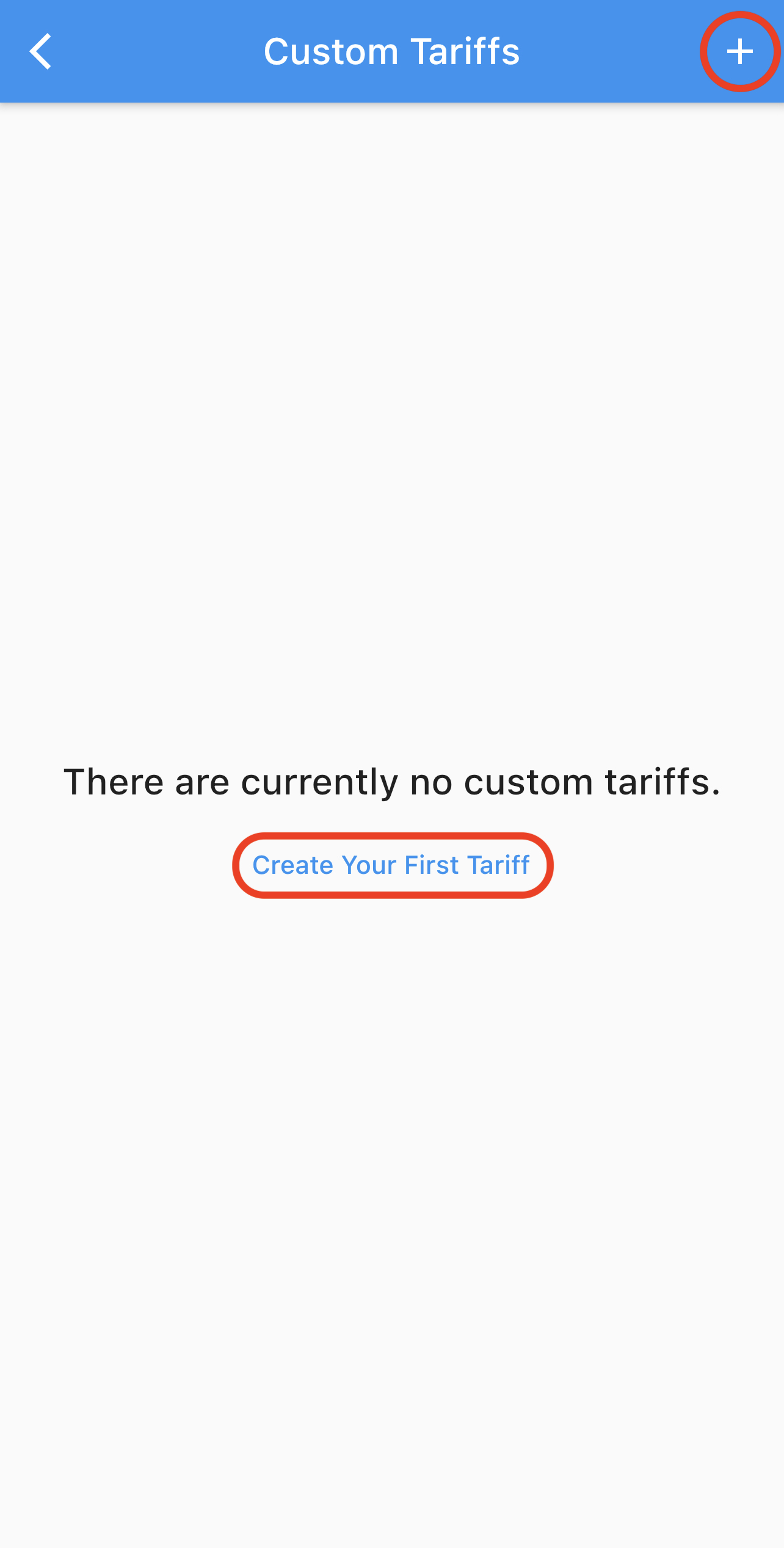
3. You will be presented with a button to Create Your First Tariff if you haven't created one before, otherwise you can use the + button in the top right
4. Once clicked, you will have access to the creation form. You will need to know the Standing Charge (in pence) and hourly unit rate (in p/kWh) for the tariff you're creating.

Tip: You can use the blue 'down fill' arrows on the right to set all fields lower than the selected arrow to the value of the field next to the selected value. This can significantly speed up your tariff creation process.
5. Finally, click Save. If you encounter an error, please first attempt to 'Refresh all data' in Settings --> Advanced. If you continue to face this issue, please get in contact with us using our contact form.
Once completed, you can return to the Compare page and select your custom tariff as you would with any other product - see 'Changing Comparison Products' for more information.
Editing/Deleting Your Tariff
If you need to edit your tariff, you can simply select the tariff again in the Custom Tariff list and you will be presented with the same form as before with all the current values for your tariff. Edit the values you would like to change and click Save.
To delete a tariff, you can swipe left on the tariff you would like to remove, and select Delete.
